
How Do I Test My AI Game Before Publishing to Avoid Failure
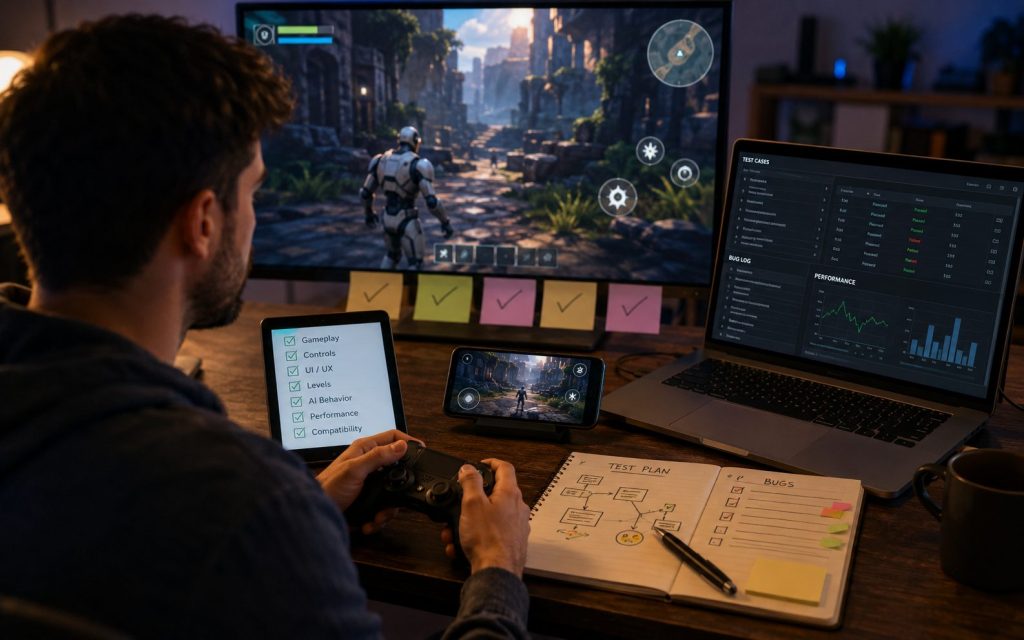
Releasing a game without proper testing is one of the fastest ways to get bad reviews and disappointed players. AI-generated games can have hidden bugs, unbalanced difficulty, or performance problems that only appear during real play. Taking time to test thoroughly helps you catch these issues early and deliver a much better experience. Good testing does not need to be complicated. With a clear plan, you can find and fix the most important problems before anyone else plays your game. This guide walks you through a practical testing process that covers functionality, performance, player experience, and final checks. Follow these steps, and you will greatly reduce the chance of failure when you launch.
Why Testing Is Essential for AI Games
AI-generated games often create content dynamically, which can lead to unexpected behaviors, broken interactions, or unfair difficulty spikes. Without testing, these problems reach players and damage your game’s reputation. Testing helps you confirm that the core fun works as intended, the game runs smoothly on different devices, and new players can understand it quickly. It also gives you confidence that your game is ready for release. A well-tested game gets better feedback, more plays, and stronger long-term success.
Four Main Areas to Test
Focus your testing on these four important areas.
- Functionality: Make sure every button, mechanic, and level works correctly without crashing or breaking.
- Performance: Check that the game runs smoothly with good frame rate and no sudden slowdowns.
- Player Experience: Ensure the game is fun, fair, and easy to understand for new players.
- Compatibility: Verify the game works well on different devices, screen sizes, and input methods.
Testing these areas systematically helps you catch both obvious and hidden problems.
Testing Core Functionality
Start by playing through the entire game from beginning to end multiple times. Try normal play as well as unusual actions such as clicking buttons rapidly or trying to break the rules. Check that all generated levels load properly and that interactions with objects work as expected. Pay special attention to save systems, menus, and transitions between sections. Write down any bugs you find with exact details about what happened and when. Fix the most critical issues first before moving to smaller ones.
In AI-generated games, test several different generated levels because each one may behave slightly differently. This ensures consistency across all content the AI creates.
Checking Performance and Stability
Play the game on the devices your target players will use. Watch for frame rate drops during busy moments or when new content is generated. Test long play sessions to see if the game slows down over time due to memory issues. Try the game on both high-end and lower-end devices. Reduce visual quality or generated detail if needed to maintain smooth performance. Make sure the game does not overheat mobile devices or drain battery too quickly.
A good example of a well-tested and stable AI game is Smash the Dummy. You can try it here:. Notice how smoothly it runs even with lots of action on screen. Use it as a reference for the performance level you want to achieve.
Four Practical Testing Methods
Use these four testing approaches for the best results.
- Self Testing: Play the game extensively yourself and note every issue you encounter.
- Fresh Eyes Testing: Ask friends or family who have never seen the game to play it and share their honest thoughts.
- Targeted Testing: Focus on one area at a time, such as controls, difficulty, or generated levels.
- Stress Testing: Create the most demanding situations possible to see how the game handles heavy load.
Combine these methods to get both technical and player-focused feedback.
Gathering and Using Player Feedback
Fresh players often spot problems that you miss after working on the game for a long time. Watch them play without giving hints and note where they get stuck or confused. Ask them what they enjoyed most and what felt frustrating. Pay close attention to comments about difficulty, controls, and clarity. Use this feedback to make targeted improvements. Even small changes based on real player input can dramatically improve the final experience.
Four Common Problems Found During Testing
- Unbalanced Difficulty: Some levels are too easy, while others are suddenly too hard.
- Unclear Goals: Players do not understand what they are supposed to do.
- Technical Bugs: Crashes, stuck characters, or broken interactions in generated content.
- Poor Mobile Experience: Controls feel awkward, or performance drops on phones.
Fix these issues before publishing to avoid negative reviews.
Final Checks Before Publishing
Before you launch, play the complete game one last time as a new player would. Check that the title screen, instructions, and end experience feel polished. Verify that all links, save systems, and restart options work correctly. Make sure your game description and screenshots accurately represent what players will experience. Test the published version if possible to catch any issues that appear only after uploading.
Wrapping Up
Testing your AI games properly before publishing is the key to avoiding failure and delivering a game that players love. By focusing on functionality, performance, player experience, and compatibility, you catch problems early and make meaningful improvements. Whether you build your games with Astrocade or other easy tools, a structured testing process gives you confidence and leads to much better launch results. Start testing early, fix issues as you find them, and gather real player feedback whenever possible. Take the time to test thoroughly; it is one of the smartest investments you can make in your game. A well-tested game earns better reviews, keeps players longer, and sets you up for greater success with future projects. Your players will thank you for the smooth and enjoyable experience.